What makes metric time so cool is that would make all the mental math we have to do when adding and subtracting time so much easier—especially when it comes to different timezones. Working with base-10 numbers is so much easier than trying to think in base-60, base-12, and base-24.
In fact metric time could be decimal time
There is no AM or PM with metric time. Just 10 hours in the day. To get a good night sleep (8 standard hours) you’d sleep for 3.33 metric hours. If you go to bed at 9:50 metric time (about 10:45pm in standard time), wanting to get a good night sleep, you’d wake up at 2:75 metric time (roughly 6:45am standard time). Remember, a half hour in metric time is 50 minutes, and a full hour is 100 minutes. One metric minute before « midnight » (10:00 on the metric clock) would be 9:99 in metric time.
Time is Money
The logic you use to tell time with metric time is very similar to how you think about money (assuming US Dollars). One metric hour is like a 100-dollar bill. One metric minute is a 1 dollar bill. And each metric second is a penny. Each day (10 metric hours), has 1,000 minutes, and 100,000 seconds. It’s an interesting way to think about the time we get to spend each day.
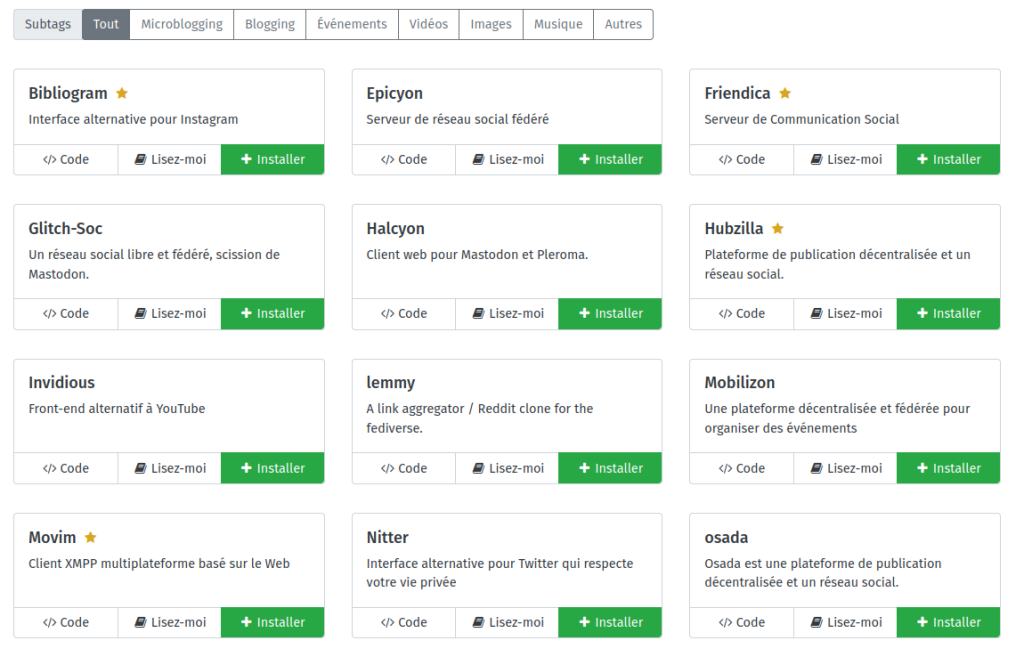
Hubzilla introduced the nomatic identity. That means that your identity is not linked with the address of the server. You can move from server to server or have clone. You can use a server or an other one easily.
Streams has the nomadic identity but I tryed to import my hubzilla channel and it does not work. It is like Streams and Hubzilla is not compatible concerning nomadic identity. Of course hubzilla account can talk with streams account.
Sean Tilley has been a part of the federated social web for over 15+ years, starting with his experiences with Identi.ca back in 2008. Sean was involved with the Diaspora project as a Community Manager from 2011 to 2013, and helped the project move to a self-governed model. Since then, Sean has continued to study, discuss, and document the evolution of the space and the new platforms that have risen within it.
Hubzilla is a powerful platform for creating interconnected websites featuring a decentralized identity, communications, and permissions framework built using common webserver technology.
The version number 7 is out with new features and many bugs fixed
Hubzilla 7.0 is addressing one of the most important features of Hubzilla – permissions. By refactoring the way we set permissions we managed to simplify the workflow to do so and at the same time provide more flexibility while making it easier to organize.
Channel roles have been simplified. There are now 4 possible selections: public, personal, community forum and custom. Personal is the default.
Individual contact permissions have been deprecated in favor of contact roles which are now a requirement for every contact.
Contact roles have one default preset which is defined by the channel role. Custom contact roles can be created as desired. Any contact role can be set to be the default for new connections in the contact roles app.
Privacy settings have been moved to a separate settings sub module. Settings for the online status visibility and entries in the directory and suggestions pages have been moved to the profile.
Advanced configurations are available in the privacy settings if the custom channel role is selected. They have received an initial warning and some entries which are likely to be misunderstood have got advising help texts.
Privacy groups can be managed from the Privacy group app if installed. The settings for the default privacy group for new content and the default privacy group for new contacts have been moved there.
Guest access has been refactored to allow new guests to be added to privacy groups. Quick access links to private resources have been added to the lock icon dropdown for convenience.
Other notable changes
– Improved UI for changing the profile photo
– Improved rendering of polls
– Fixed polls for forum channels
– Improved performance when deleting a contact
– Remove deprecated legacy mail addon
– Scope support and improvements for the socialauth addon
– Various bug fixes
Breaking changes
– The legacy mail addon has been removed. This means that the data will not be accessible anymore from the UI. The data will be removed from the database in the next release (7.2). At this point the legacy mail data will be lost.
– Forum channels must be assigned the « community forum » channel role in the channel settings. Otherwise the channel will not act as a forum anymore. If you require the custom channel role, this setting can be found in the advanced configuration of the privacy settings.
– Profile vcard was dysfunctional and has been removed from the UI. It might be revived at a later point.
A big THANK YOU! to all contributors and everybody who is supporting Hubzilla. Special thanks to @NGI Zero open source funding for supporting this work.
How to Upgrade
1. create a backup
2. execute util/udall from the terminal
3. select a new channel role for your channel (optional*)
4. review your privacy settings (optional*)
5. assign your contacts a contact role (optional*)
* Optional because your old privacy settings will be still in tact until you decide to change them.
Hubzilla is a powerful platform for creating interconnected websites featuring a decentralized identity, communications, and permissions framework built using common webserver technology.
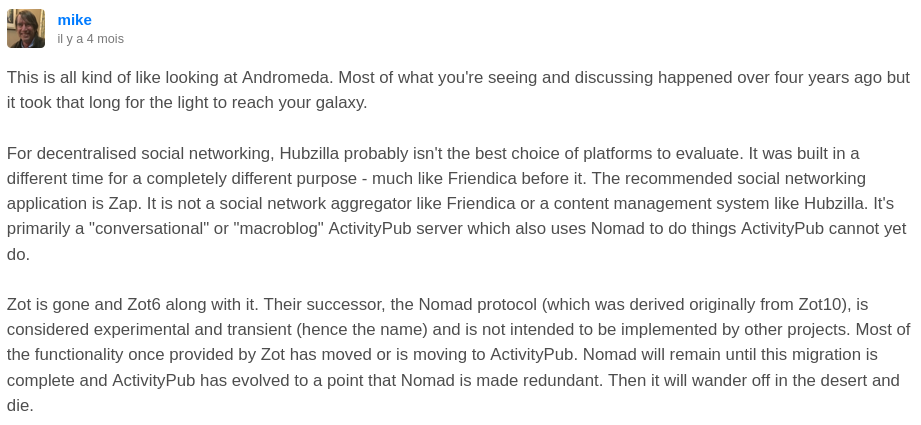
Zot is gone and Zot6 along with it. Their successor, the Nomad protocol (which was derived originally from Zot10), is considered experimental and transient (hence the name) and is not intended to be implemented by other projects. Most of the functionality once provided by Zot has moved or is moving to ActivityPub. Nomad will remain until this migration is complete and ActivityPub has evolved to a point that Nomad is made redundant. Then it will wander off in the desert and die.
How do you understand this?
First of all I must explain what is nomadic identity. Mike Macgirvin the creator of the protocol ZOT had a vision long long time ago. He realised that all our identity was catched by a domaine name. On the Fediverse your identity is similar than email. It looks like user@domain. It is a weakness.
The server can be down
Your account can be censored or deleted
The administrator can stop maintaining the instance.
Nomadic identity let you move your account to an other instance or clone it. Your identity is not your user@domain but is hidden in a unique key. Then if you move user@domain2 would be ok and all your contacts would be still yours.
He apply this idea on Hubzilla then on zap, Mistpark and other clones.
But today if you have an account on Mastodon for example. You loose all your contacts. You can follow them but they have to accept you again,
As far as I understand this remark, he is planing to include the nomadic concept in ActivityPub. That means that all plateformes of ActivityPub could be nomadic.
Just imagine you create an account on Mastodon then you clone it on Pleroma and you can use both the same way you use mail from your phone or your desktop or webmail.
This concept is not easy to understand untill we try it. Today you can try it on Hubzilla or Zap.
Friendica is a wonderfull and powerfull social network you can install easily yourself with just few lines of commands.
This is not a detail way how to do it. But just a missing part of the official documentation.
You have a server with yunohost. If you don’t know how to install yunohost go the official documentation of yunohost. But I can give you how to do it in 2 lines
Install Debian
Connect with ssh to your debian server and type
curl https://install.yunohost.org | bash
Prepare a domain or subdomain for your friendica
Admin > Domain > Add follow the instruction …
Then Admin > Application > Add
Just let yunohost working…. Have a tea…
The documentation explain « For admin rights: When installation is complete, you will need to visit your new hub’s page and login with the admin account username which was entered at the time of installation process. You should then be able to create your first channel and have the admin rights for the hub. »
Now I will translate this misterious sentense.
You must know the email of yunohost admin and have acces on it. I did a redirection because I don’t need yunohost email.
Then create and account with this email (admin of yunohost). You will receive by mail a password. Then you can access to you friendica and have administration.
Sometimes it is important to close registration.
More information about Friendica
Using Yunohost save you time. It configure for you all the server and the domain. You can use Friendica for you family, your group or for yourself. You will be able to communicate with the whole Fediverse, with Twitter and many other plateforme.
If this tutorial helps you just tell it on the comment. By the way you can add this blog in your contact if you already have a fediverse account (Pleroma, Mastodon, Hubzilla etc…) Just add kris@kris.aga.ovh and you will be allowed to comment directly from your fediverse account.
Have fun
2021-10-23
Important additional information : Friendica does not work with this kind of installation. I didn’t investigate more why and how to fix it. I already installed Friendica with the classic installation and it works well. But with Yunohost It simply does not work. I create 2 account and impossible to add an account from the same instance.
If you installed Friendica with Yunohost do you have the same problem?
Powershell is THE system language of microsoft. If you are IT worker, you SHOUD know this language. It is a good investment to learn it. You have so many languages to know but this one should be mandatory because one day you will need it.
Now as a linux user, I wanted to continuer my learning with my favorite opérating system. Linux have BASH scripting language by default and powershell is a microsoft language.
But as you notices Microsoft is not the evil company as it used to be. You can have Windows Subsystem for linux (WSL) on your windows system.
Then now how to install it ? Just type this line of command.
sudo snap install powershell --classic
Now how to use it ?
pwsh
if you want to go out and return on the default command :
exit
Overview of the decentralised Hubzilla Social Network
Hubzilla is maybe the most secure tool for a community, its nomadic identity let you free and don’t depend on an url or a server. Your account can follow you where you want.
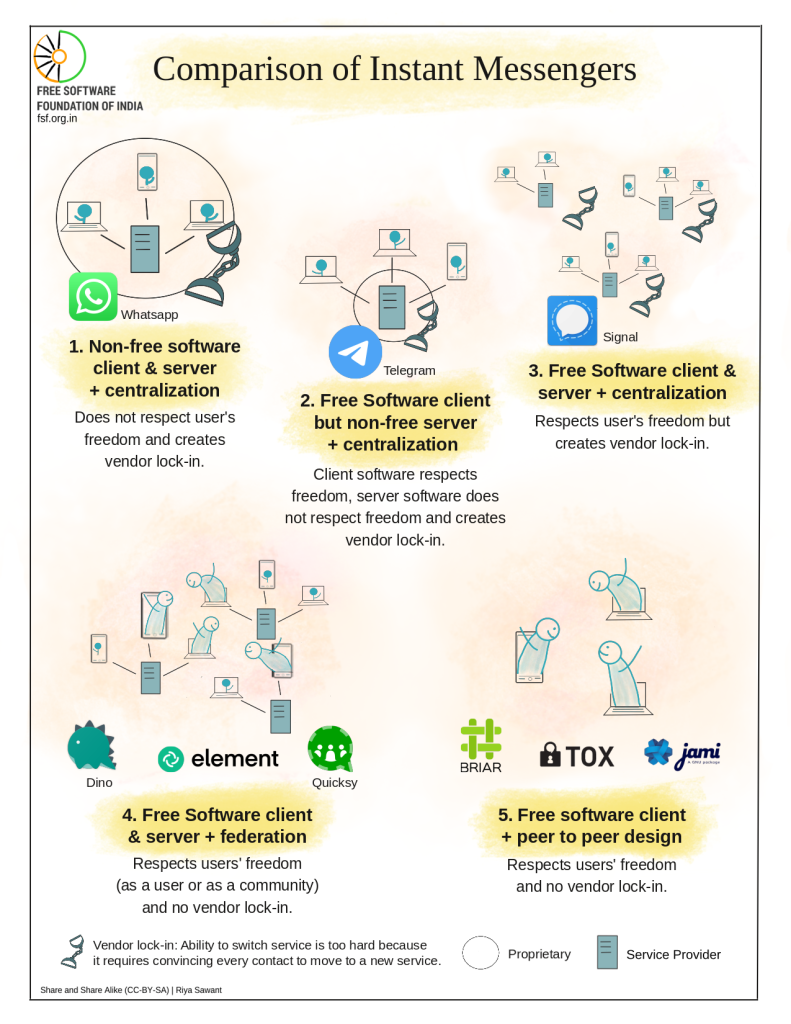
Today in 2021 everybody use Whatsapp. It create a vendor lock-in. It means the ability to switch service is too hard because it requires convincing every contact to move to a new service.
When Whatsapp announce they will change the condition to use their service many people start trying orther application. What is the best according to the Free Software foundation
We recommend you to choose any federated system or peer-to-peer messenger according to your use-case so that you get full control of your communications, freedom and privacy. It is very important to reject proprietary services like WhatsApp which takes freedom away from the user. FSF India, FSCI or other volunteer-run organization in India would be glad to extend support to anyone needing more details on undergoing such a shift.
Many people start using Signal or Telegram some Matrix. Is it the good choise ?
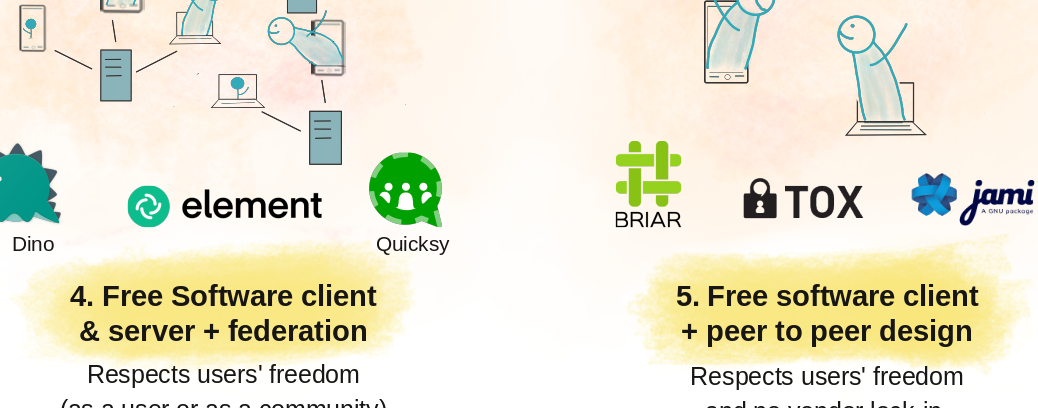
Telegram is better than Whatsapp. Signal is better than Telegram. Xmpp is better than Signal. Matrix is better than xmpp. Tox or Briar or jami is better than Matrix.
WhatsApp app is a non-free software which does not respect user’s freedom and privacy. WhatsApp does not provide its users the access to its source code and actively bans anyone creating a Free Software app that can connect to WhatsApp service. They claim their app provides end-to-end encryption, but we cannot verify if they actually implemented end-to-end encryption without any backdoors (access of app remotely without user’s permission) or loopholes. Being non-free app is enough to reject WhatsApp so we are not going to talk about other bad things about WhatsApp.
There are three broad categories of messaging systems with Free Software apps – Centralized services, Federated services and Peer-to-Peer systems.
A. Centralized services
A centralized service is one in which every one is forced to use the same provider. Setups such as this has many disadvantages such as vendor lock-in, being more susceptible to back-doors by government, the whole world getting dependent on a single organization for their communications. Centralized services also have a single point of failure.
Telegram Compared to WhatsApp, Telegram provides Free Software app which means end-to-end encryption can be verified to be working as claimed. Free software app is often not enough to provide full control over your communications. For example, Telegram’s apps (Android, desktop, iOS) are free software but still the service is centralized like WhatsApp. So only Telegram’s app respects your freedom but not the service.
There is no end-to-end encryption by default in Telegram and messages in groups are not encrypted.
Needs phone number for signing up.
Signal Signal app is Free Software like Telegram, and in comparison to Telegram it offers server software also as Free Software which makes it better than Telegram.End to end encryption is enabled by default and groups chats are also encrypted. Even though you are allowed to setup Signal service yourself, the users of your service will not be able to talk to users of official Signal server, making it practically a vendor lock-in.
Needs phone number for signing up.
Summary: Signal is better than WhatsApp and Telegram.
B. Federated services
A federated system is a collection of independent service providers which can communicate with each other. Federation is important to take full control of your communications. You can choose a trusted provider or be a service provider yourself. No single entity can force their terms on users. Examples of federated systems are mobile phones, emails, matrix , XMPP etc. For example, you can buy a SIM card from any mobile service provider and talk or send SMS to subscribers of other providers.
XMPP : XMPP is good because you can communicate with the whole xmpp system. You need to find a provide. XMPP host
Matrix Matrix is like xmpp. You have to find a provider and it is better with audio or video phone. But it is not widely used yet
C. Peer-to-Peer (P2P) systems
Peer-to-peer instant messengers can talk directly without requiring any servers. Examples are Briar, Tox and GNU Jami, etc. The messages are end-to-encrypted and are stored only locally in the devices since there are no servers involved. There are no servers that could intercept your communications, so it gives you the ultimate privacy and freedom. To exchange messages, both peers need to be online, which might be a bit inconvenient.
If you have a mastodon account, you probably know that you are using a powerfull and amazing tool because you can communicate with all mastodon instances. But there is more…
You are able to communicate with the whole Fediverse. You can follow peertube video channel, communicate with pixelfed contacts or even comment wordpress post all from your Mastodon account.
If you have other kind of tool, pleroma, hubzilla or other that works the same way.
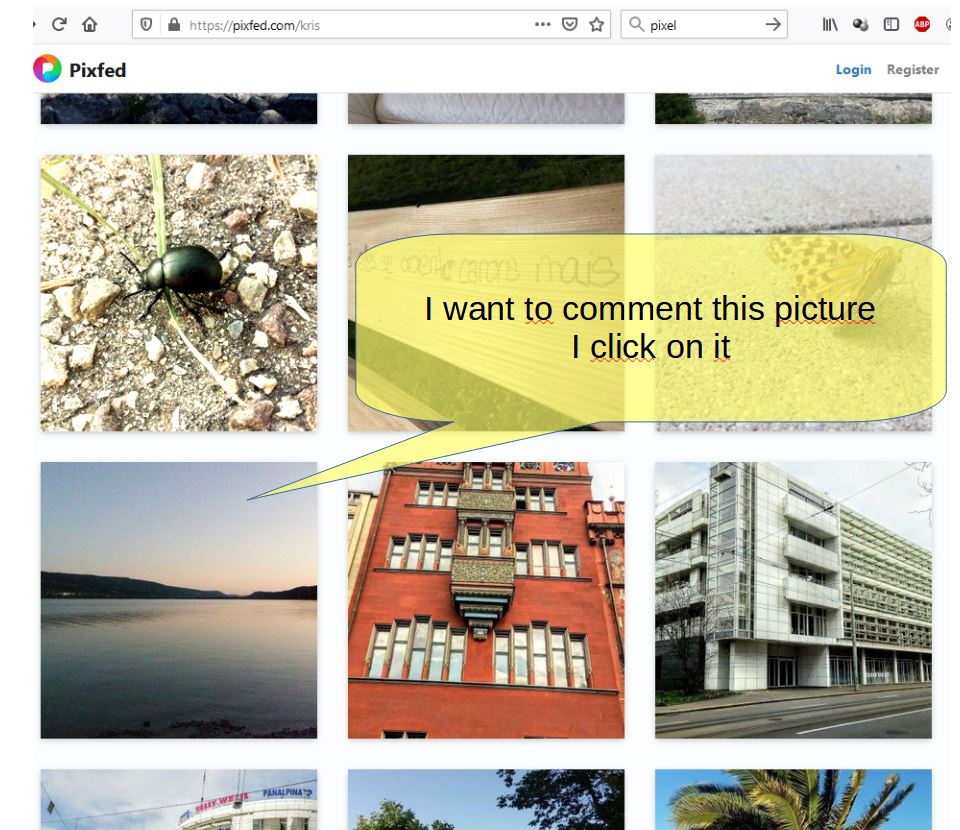
Pixelfed is an photosharing tool like instagram. You can publish photos and share it. It is federated that means that all the fediverse can follow, comment or like.
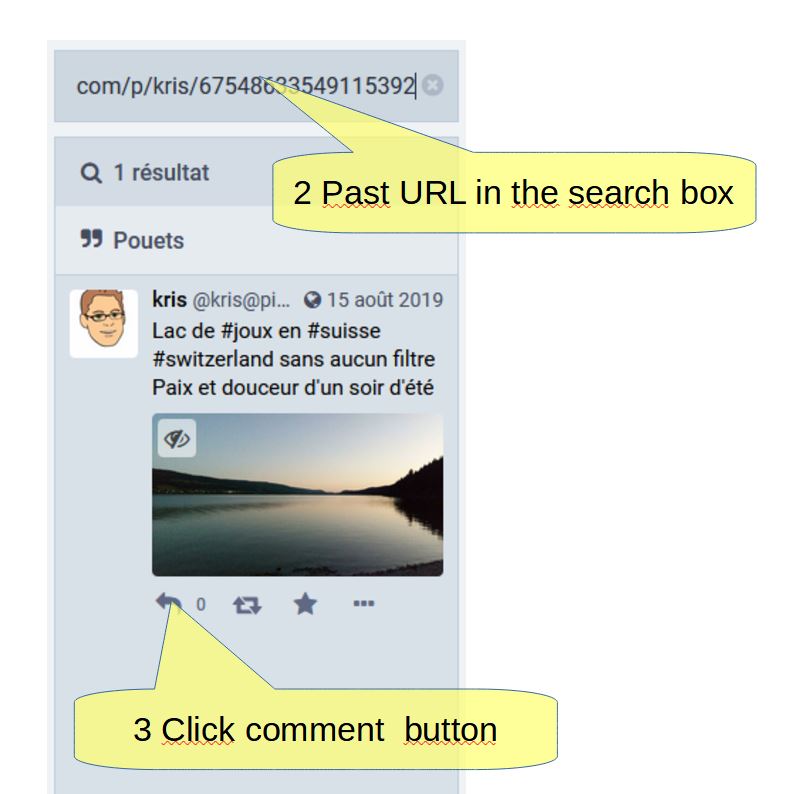
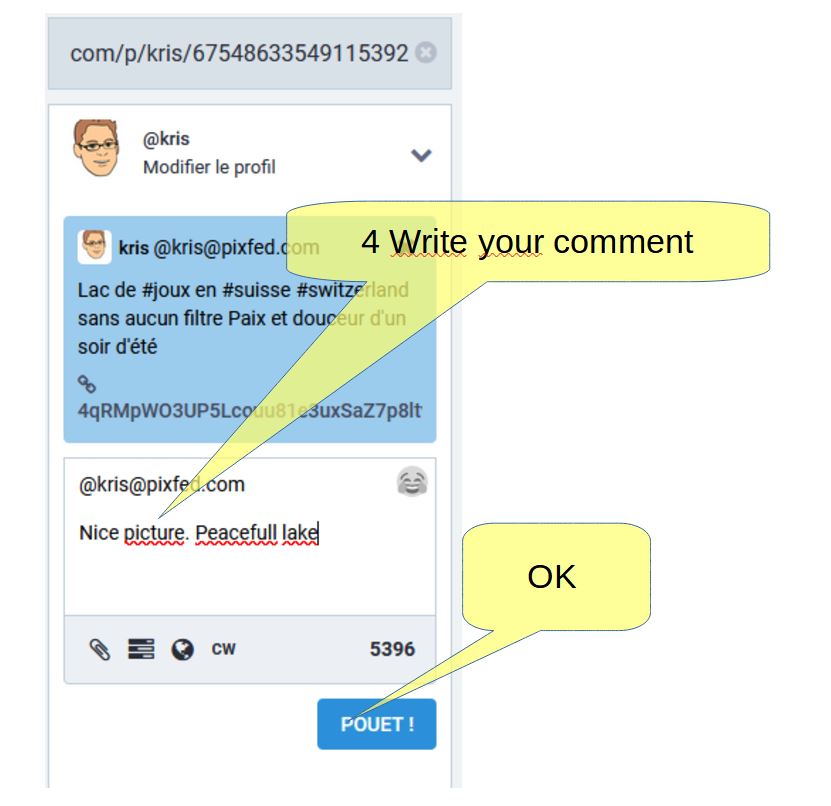
Now I will show you how to comment a photo from Pixelfed without Pixelfed account simply from your mastodon account.
I have a mastodon account @kris and a pixelfed account kris@/pixfed.com (you note the same kind of address similar than email). Each account have 2 kinds of address